Sometimes, you need to pause an order without waiting on support.
Whether you’re verifying payment, updating details, or reviewing an order, this update saves you time and gives you full control over what ships and when.
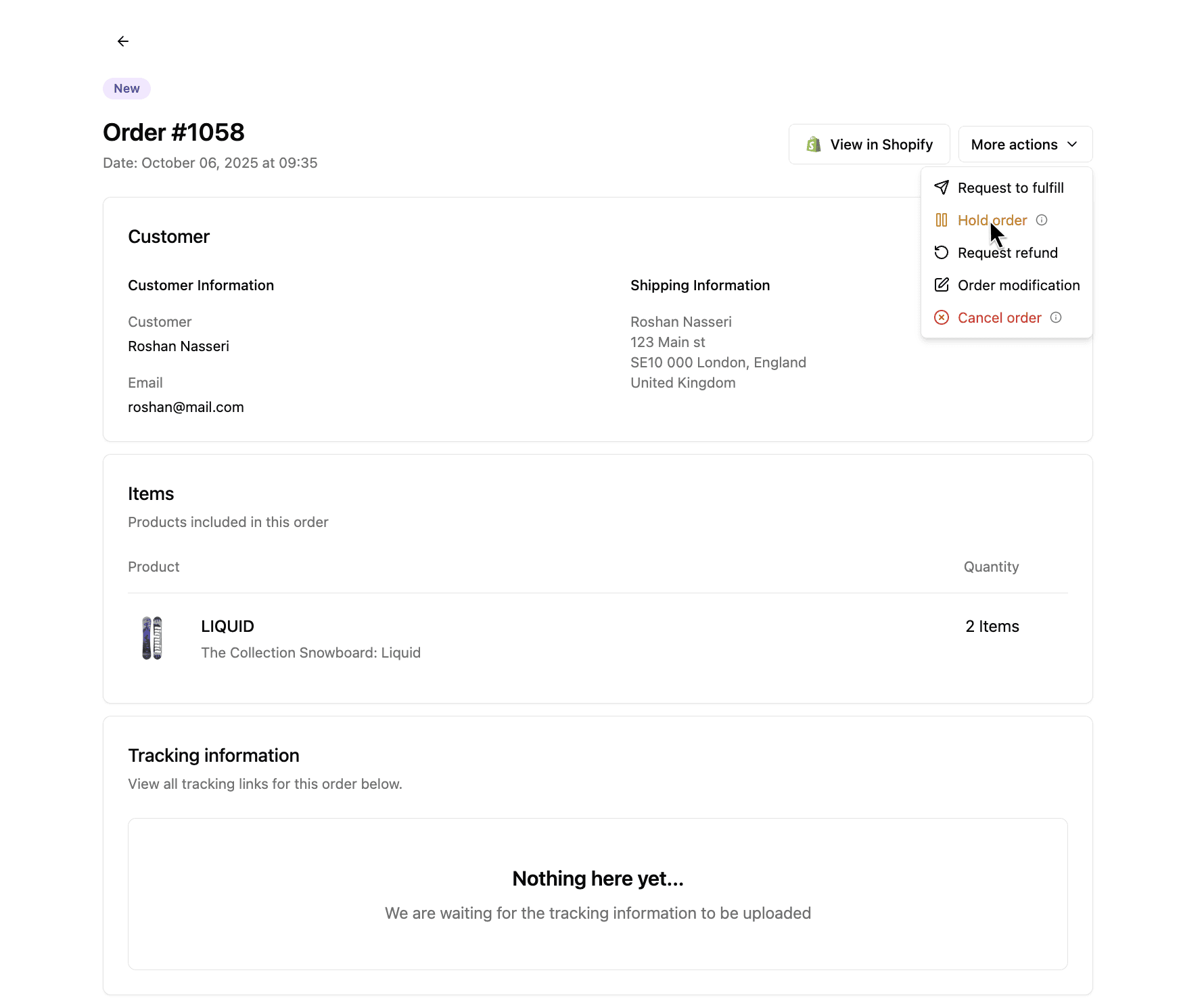
Now you can manually put any order on hold directly from your Dashboard, before it enters fulfillment.
Why we built this
In fulfillment, timing and control go hand in hand.
We wanted brands to have the ability to pause orders directly, without relying on messages or support steps in between.
The goal was to simplify operations and give teams the flexibility to react instantly when plans change.
It’s a small update that creates a big shift in how smoothly fulfillment runs day to day.
What’s new
- Manual Hold button: Pause fulfillment directly from any order view
- Dashboard visibility: See all held orders in one place
- Total flexibility: Release or update them anytime without contacting support
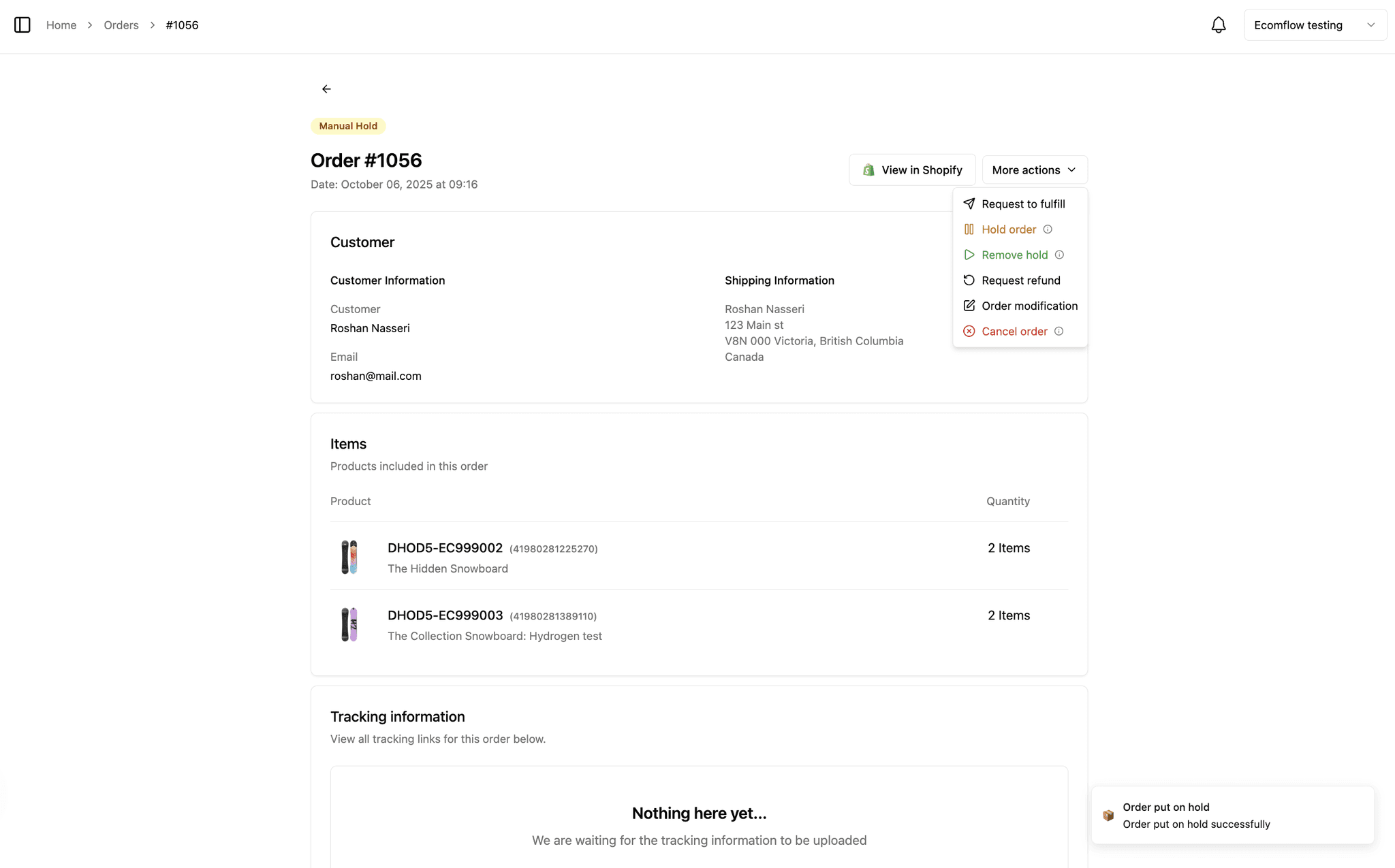
Once paused, a ‘Manual Hold’ label will appear above the order number.
Try it today
Head to your Orders tab and click Hold Order to pause fulfillment before it starts.
It’s that simple.