Say goodbye to manual wire transfers and hello to paying invoices directly inside the ecomflow Dashboard.
With this update, invoices can now be paid in just a few clicks, directly from the Dashboard.
Payments are securely processed through Whop, keeping everything connected, clear, and automatically in sync.
Why we built this
Paying invoices should be simple and predictable.
By introducing a native payment flow inside the Dashboard, we’re removing extra steps and keeping invoice status, payments, and records aligned in one place.
What’s new
- Pay invoices directly in the Dashboard Open an invoice and complete payment without leaving ecomflow
- Powered by Whop Secure payments handled through Whop’s payment infrastructure
- Multiple payment methods supported Including credit card and EU-friendly options like iDEAL
- Long-term visibility All invoices are easy to track at any time.
How it works
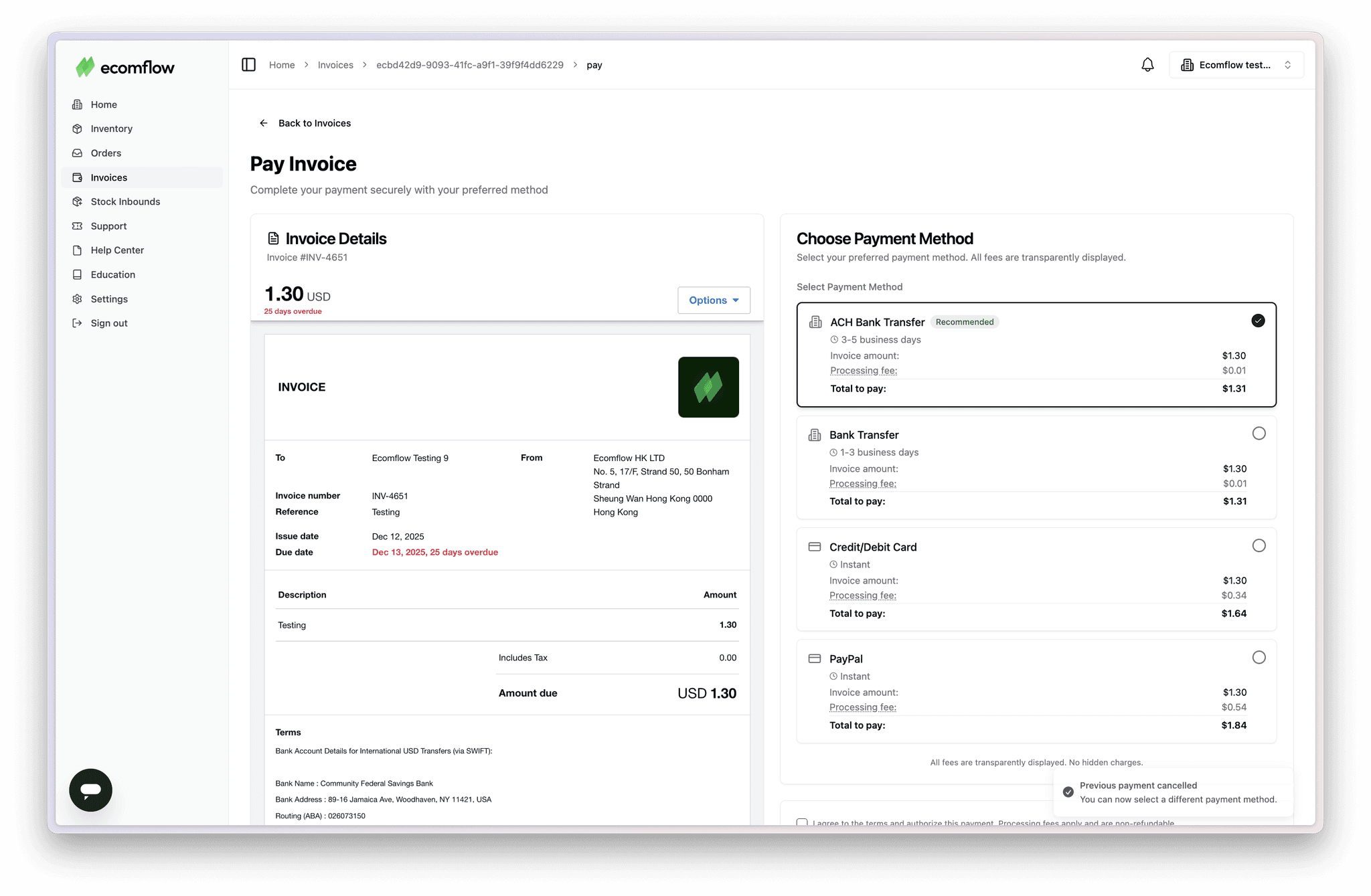
Go to your Invoices tab, select an open invoice, and proceed to payment.
You’ll be securely redirected to Whop to complete the transaction, after which everything updates automatically inside the Dashboard.