Managing fulfillment across a team often means a lot of context gets lost. Someone emails customer support about an order issue. Someone else adds a note in a spreadsheet. A third person has no idea any of it happened. By the time it's sorted, valuable time is gone.
We built Order Notes and Timeline to fix exactly that.
What's new
Order Timeline
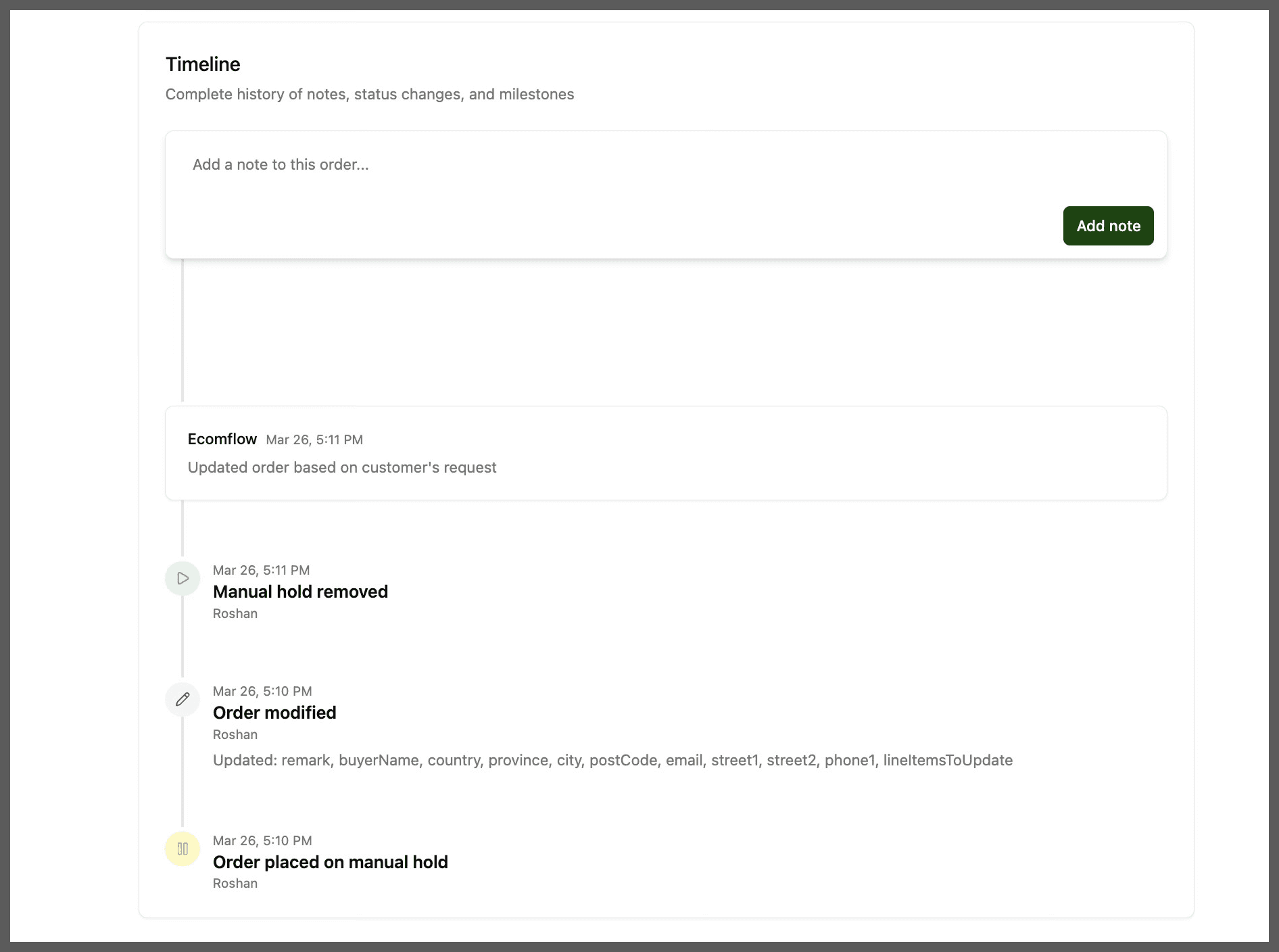
Every order now has a Timeline - a complete, chronological log of everything that has happened to it. Status changes, edits, cancellations, holds and hold removals, and issue resolutions are all recorded automatically as they happen. No manual input required on your end; it's just there whenever you need it.
This means if you click into an order and something looks off, you can immediately see the full history: what changed, when it changed, and who made the change.
Order Notes
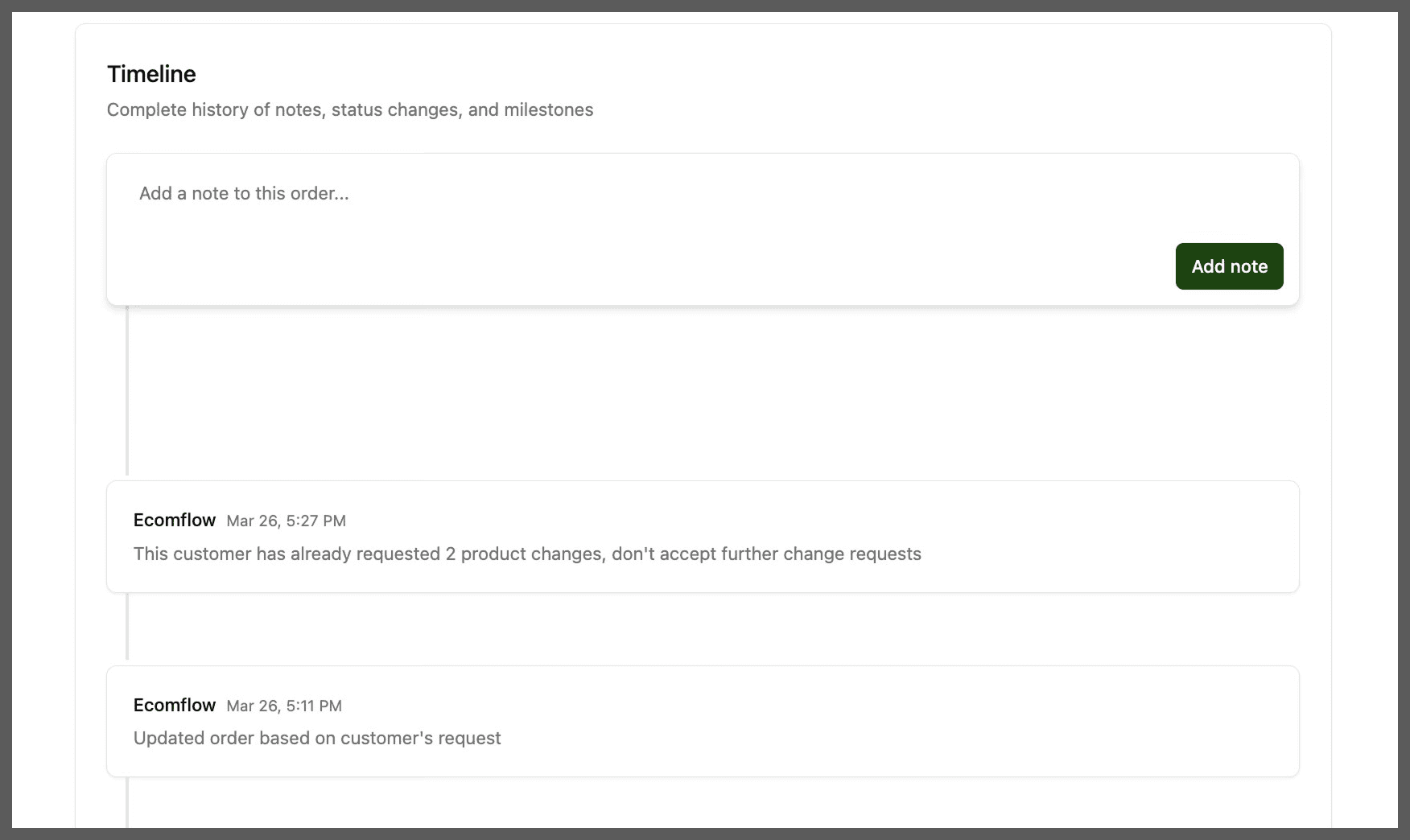
Beyond automatic events, you can now add your own notes directly to any order. Notes live in the Timeline alongside the automatic events, so everything is in one place.
A few things worth knowing about how notes work: they are permanent once added: they cannot be edited or deleted. This is intentional. Notes are logged as events, which means the Timeline is always a reliable record of what was communicated and when.
Notes you add are visible to your whole team, making them useful for coordinating internally, for example, flagging that an order is going to an influencer, or that a customer has specific delivery instructions. If ecomflow flags something on an order, you'll see it here too, so you're never in the dark about what's happening with your fulfillment.
Try it today
Head to the Order page in your Dashboard, click into any order and you'll see the Timeline window, where you can submit your notes.